01 / THE HOME
There’s more
to a home
than you see.
Behind the light. Beneath the music.
A whole world of connections.


HomeTech Transfer Dallas–Fort Worth
A considered handoff for the lighting, sound, Wi-Fi
and smart devices already in your home.
The home changes hands. So should the technology.
Which app runs the lights? Whose account owns the doorbell? We turn the technology that stays into a clearer handoff for the next owner.
01 / THE HOME
Behind the light. Beneath the music.
A whole world of connections.
02 / THE DETAILS
The devices. The apps. The systems working together. Know what’s staying, and what each one needs.
03 / THE CHANGEOVER
Plan the account changes.
Preserve the programming worth keeping.
04 / THE HANDOFF
Devices, agreed checks and everyday instructions—together in your Home Tech Passport.
Explore the sample Passport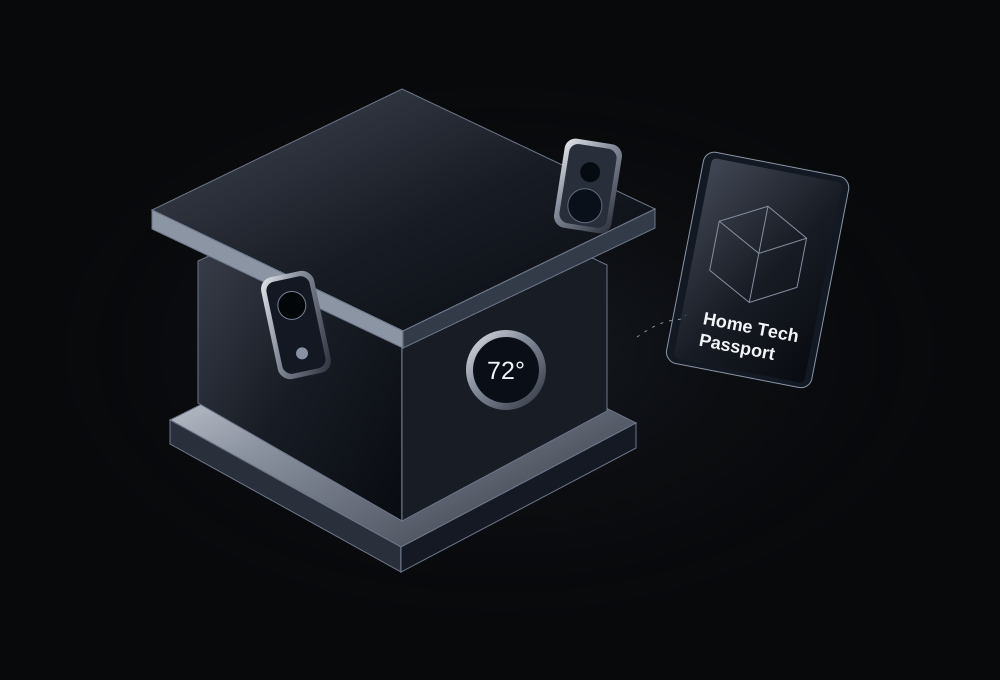
An illustration of the handoff. Your scope is specific to your home.
For buyers, sellers & agents
The same home. Different things to take care of. Choose your side of the move.
Buyer handoff
Get a device list, a plan for your own accounts and a walkthrough of the controls you’ll use every day.
Build my move-in planDevices, models, rooms and the apps behind them.
Account ownership and authorized setup, with open items tracked.
Lights, comfort, Wi-Fi and sound—with notes to keep.
The handoff, in four simple chapters
Meet the equipment. Plan the change. Learn the controls. Keep the know-how.
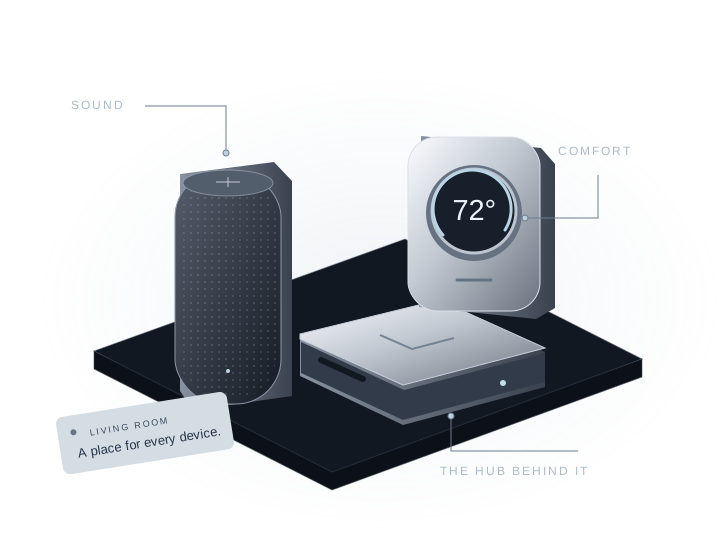
01 / Discover
The visible devices. The little hubs behind them. We organize what’s staying, room by room.
We work from visible equipment and available records to identify rooms, makes, models, apps and connected systems. Unconfirmed equipment stays marked for follow-up. Concealed or unidentifiable items may need installer or manufacturer help.
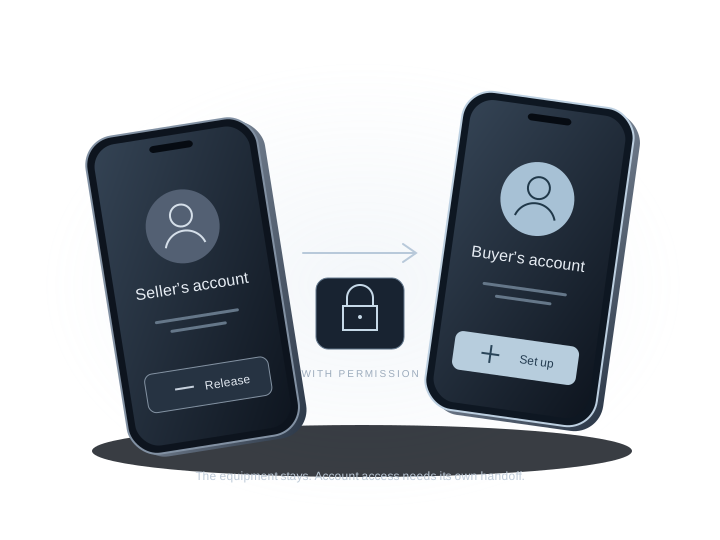
02 / Change hands
The equipment can stay on the wall while its account still belongs to someone else. We map the authorized changeover.
Seller release, buyer enrollment, recordings, integrations and subscriptions are separate steps. Changes follow the account owner’s permission, agreed possession timing and the manufacturer’s process. The scope identifies settings to preserve and any dealer or manufacturer help needed; a reset is not the default.
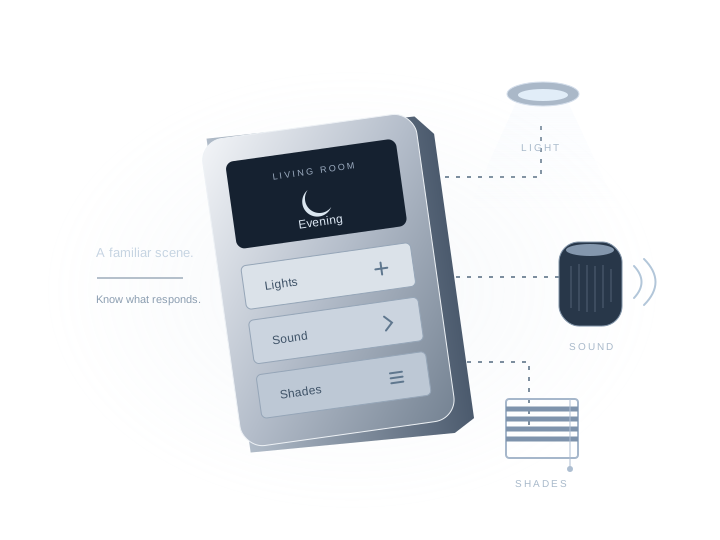
03 / Check & explain
Lights, music, comfort. We carry out the agreed checks and walk you through the everyday controls.
A light responding, an audio zone playing and a device awaiting access are different outcomes. The Passport records what was observed during the visit. Untested features and issues stay visible. These agreed checks are not a comprehensive inspection, security certification or guarantee of future operation.
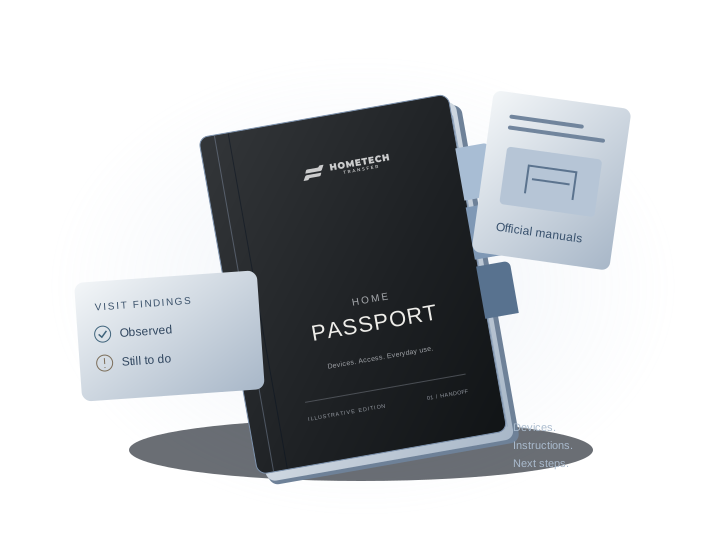
04 / Keep the know-how
Your Home Tech Passport brings the equipment, instructions, handoff results and next steps together.
For equipment in the written scope, we look for matching manufacturer manuals and include the official link or available document. Supplied purchase records and manufacturer terms inform warranty-transfer findings; unconfirmed coverage stays unconfirmed. Missing documents and unresolved details stay on a clear follow-up list.
Work is agreed before the visit. Your written scope identifies the equipment, work, complete price and timing.
See the sample PassportSmall mysteries. A clearer picture.
Pick a moving-day question. See what the handoff can bring.
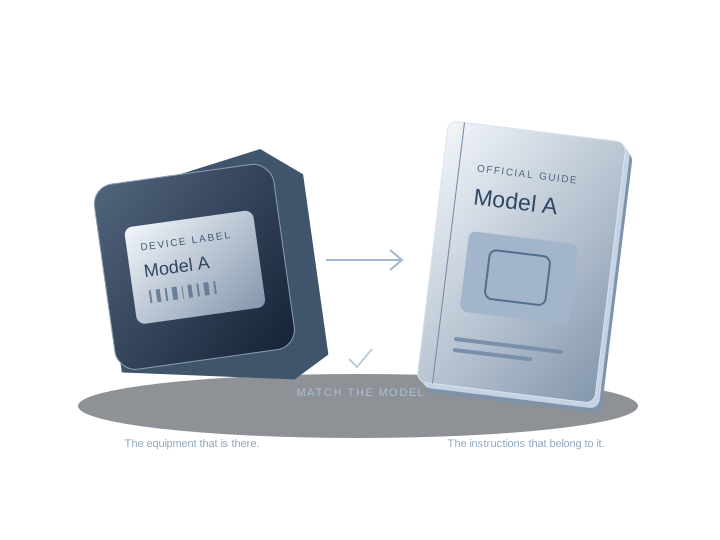
01 / Missing manual
We match the visible model to manufacturer manuals and official support resources. The reference stays with its device in your Passport.
We use visible model details and available records, then check the product generation and document version where available. If the model or manual cannot be confirmed, we record what is missing and the best next source, without substituting a guessed match. The written proposal identifies paid documents, dealer-only records or installer investigation before you decide.
02 / Mystery box
A hub near the router. A panel on the wall. An amplifier in a cabinet. We work to identify the device and its role in the home.
Models and connections are recorded where they can be confirmed. Unknown equipment gets an open item and a next source, rather than a guessed identity. Concealed equipment or missing installer records may need further investigation in the written scope.
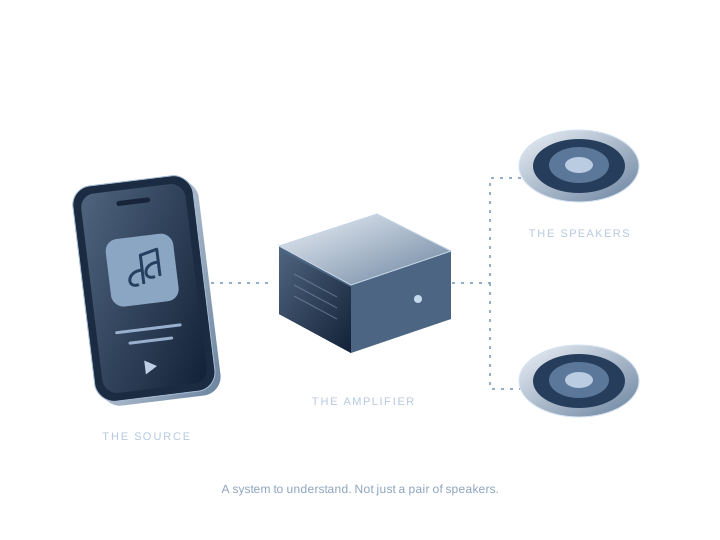
03 / Silent speakers
Speakers need more than speakers. We connect the story of the source, amplifier, network and room controls, with agreed playback checks.
The handoff maps the audio equipment staying with the home and includes the controls demonstrated, observed playback and unresolved connections. Complex systems receive system-specific planning. Calibration, wiring, programming or installer work is identified in the written proposal.
04 / Unfamiliar buttons
A scene called “Evening” becomes something you can use. We record the agreed lights, shades, scenes and controls as they are demonstrated.
Controls are documented as part of the agreed walkthrough. Changes to wiring or programming are agreed separately; the written proposal identifies the work and the responsible provider. A demonstration does not mean every feature has been tested.
05 / Previous owner’s app
An installed device and the account controlling it are different things. We organize the authorized seller-release and buyer-setup steps.
Account ownership, old recordings, integrations and subscriptions each receive their own status. Work follows permission, possession timing and the manufacturer’s process. Some changes need a reset or waiting period; removal from every account, backup or integration cannot be guaranteed. Passwords and access codes stay out of the Passport.
06 / Missing pieces
A missing remote, bridge or source can leave the rest of a system hard to use. We record the gap and confirmed compatibility details.
Model and compatibility details are included only where confirmed. The list gives you a starting point for the seller, manufacturer or responsible provider. Replacements, repairs and additional investigation are identified in writing before you decide.
07 / Working or waiting?
A function check and a warranty are different questions. We keep the observed result, available warranty information and open items separate.
Checks describe what was observed at the visit; untested features remain visible. Supplied purchase records and manufacturer terms inform warranty findings and transfer eligibility. The Passport does not create coverage. Repairs and warranty decisions remain with the responsible provider or manufacturer.
Every illustration explains an approach. Your written scope names the actual equipment and work.
See the sample Passport’s documents ↗The systems that stay
Every category can be part of the Complete Home Tech Handoff. We identify what each system needs, what the handoff includes and any work that needs a separate specialist.
The handoff records models, locations, ownership and the systems that depend on the network. When cabling, network engineering or ISP work is needed, the proposal identifies the requirement and responsible provider.
Whole-system planningEach camera, app and ownership state stays in the handoff plan. Releases, resets and checks follow the account owner's permission, possession timing and the manufacturer's process.
Authorization before changesThermostat models, locations, account setup and everyday controls stay in the plan. If wiring, equipment faults or HVAC repairs need attention, the proposal assigns that work to a qualified provider.
Qualified provider assignedThe plan maps controls, scenes, paired switches, remotes and hubs as a connected lighting system. Programming or electrical work is identified for the installer or qualified trade before you decide.
Whole-system planningDistributed audio, equipment racks and theater controls are mapped as one connected system. The proposal identifies any calibration, programming, wiring or installer work needed for the handoff.
Installer history mattersControl4, Savant, Crestron and other integrated systems remain part of the handoff. The proposal maps account changes, project files, programming and the installer responsible for technical work.
Installer history mattersLocks, garage controls, gates and alarm integrations stay in the coordinated handoff. The proposal names the authorization, timing and qualified provider for rekeying, code changes or technical work.
Authorization before changesThe plan connects each shade to its control, bridge, schedule and known installer. Mechanical, wiring or programming needs are assigned to the responsible provider in the proposal.
Installer history mattersLeak sensors, alerts and connected valves stay in the plan with their locations and account dependencies. Valve operation, plumbing and shutoff work is assigned to a qualified provider.
Qualified provider assignedPool automation, irrigation, gates and outdoor controls remain part of the coordinated handoff. The proposal names the installer or qualified trade for equipment, electrical or programming work.
Qualified provider assignedThe Passport organizes appliance models, apps, supplied records and warranty findings. If diagnosis, repair or a claim needs another provider, the proposal identifies that next step.
Documentation includedThe names behind the experience
A home rarely belongs to one ecosystem. Knowing the brand is the beginning; the exact model, account and installer history tell us what happens next.
 Control4Google Nest
 SAVANT

Lutron · Philips Hue · Leviton · Legrand · Somfy · Hunter Douglas
Understand lighting handoffs ↗Sonos · Denon · Marantz · Yamaha · KEF · Bluesound
Get to know the audio system ↗Control4 · Savant · Crestron · SmartThings · Home Assistant · Aqara
Start with the control system ↗Ubiquiti · eero · NETGEAR Orbi · TP-Link Deco · Google Nest · ecobee
Plan your first week ↗Ring · Arlo · Google Nest · Reolink · Schlage · Yale · myQ
Plan the account handoff ↗Rachio · Rain Bird · Hydrawise · Pentair · Hayward · Moen
Include the overlooked devices ↗Brand names identify examples of technology that may be present in a home. Exact models, installer history and system requirements shape the written proposal and any specialist requirements. HomeTech Transfer is independent of these manufacturers.
Your Home Tech Passport
What’s installed. How to use it. What still needs attention. A record to keep long after moving day.
Your HomeTech Transfer quote sets out the equipment, work and complete price. We agree the details with you before the visit.
Account changes depend on the right permissions and possession timing. Passwords and access codes don’t belong in chat or the Passport.
Completed, pending and untested items are kept distinct. Supplied warranty information is reviewed without promising new coverage.
Keep the Passport and open-item list together. Questions about a result have a specific record to refer to.
Complete Home Tech Handoff
Built around the technology staying with the property, from everyday controls to integrated whole-home systems.
Understand the home
We organize the technology in the handoff by room, model, control platform and purpose.
Coordinate the change
We help with the agreed account changes, check everyday functions and walk the buyer through the controls.
Keep the record
A practical record of what was included, completed and left for follow-up.
Use the handoff planner to show us what is staying with the home. The written proposal names the work included, expected timing and complete price.
Large, estate and professionally integrated homes are central to the service. The plan follows the systems, people and property details that make each handoff work.
Your handoff plan
Choose the systems staying with your home and what needs attention. See your handoff plan before requesting a written quote.
Your written price follows a review of the details.
Before you begin
Yes. For the devices in the agreed inventory, we work to identify the make and exact model, then look for matching manufacturer manuals or official support guides. The Home Tech Passport includes the official link or available downloadable document, its device reference and any useful buyer notes. If the model or manual cannot be confirmed, that remains an open item with a suggested next source. The written proposal identifies any paid document, dealer-only record or installer investigation before you decide.
Start with what you can describe: ceiling speakers, a wall panel, smart switches or an unfamiliar box near the router. “Not sure” is a valid choice in the planner. We work from visible equipment and available records; concealed, damaged or unidentifiable items may need installer or manufacturer help.
A digital Home Tech Passport with the device inventory, identified models and locations, account-handoff status, observed checks, everyday-use notes, manual references, available warranty findings and open items. The Complete Home Tech Handoff includes a buyer walkthrough; timing, recipients and any follow-up are named in writing. Explore a sample Passport.
Start planning before the move so there is time to identify equipment and contact the seller or installer. Account and access changes wait for the agreed possession time. The seller may need to release accounts; the buyer needs their own device and accounts for setup and the walkthrough. We confirm who needs to be available, along with power, internet and access requirements.
Yes—an agent, buyer or seller can request the handoff and propose who will pay. The written quote confirms the customer, payer and agreed work. Arranging or paying for a visit does not authorize changes to someone else’s accounts. The agent receives the client-authorized updates or report agreed for the job. See the agent handoff process.
We record the observed issue or transfer blocker and identify the next responsible party. A pending account release stays separate from a device fault or an untested feature. The written proposal identifies any repair, replacement, dealer recovery or return visit and the provider responsible before you decide.
Use the handoff planner to choose your move, the systems staying with the home and what the handoff needs to cover. “Not sure” is always a valid choice. You see your plan before contact details, and completing the planner does not book an appointment or confirm service.
Yes. Large, estate and professionally integrated homes are central to the Complete Home Tech Handoff. The planner captures the systems and the breadth of the home technology; the written proposal then names the work included, timing and complete price before you decide.
A handoff does not mean resetting every device. We agree model-specific ownership and privacy steps with the authorized people. Some transfers need no factory reset; others can lose data or require manufacturer waiting periods. We cannot guarantee removal from every account, backup or integration.
The report describes the agreed action and what we observed at that time. Unchecked features and unresolved issues are labeled. It is not a comprehensive home inspection, security certification or guarantee of future operation.
The report organizes supplied purchase records, warranty references and transfer findings for equipment included in the handoff. Eligibility depends on the actual product and terms. Unknown or unconfirmed coverage stays marked that way; the report does not create new warranty coverage.
The Home Tech Journal
Practical reading for the questions that come with the keys. Clear explanations, useful checklists and the details worth asking about.
Read the journal ↗